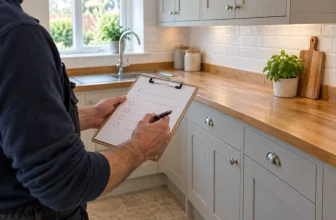


The trouble with a small job is that everyone can feel they have agreed the same thing when they have actually pictured different work. “Repair the bathroom” might mean a new sealant bead to one person and a full strip-out to another. A useful written agreement makes the details visible before tools come out or a deposit changes hands.
Our free Trade Agreement Draft Builder helps a tradesperson and customer record those details in one place. It creates an editable draft, not an approved contract or a substitute for advice about the specific transaction. In particular, consumer information and cancellation requirements depend on how and where the deal is made, what is being supplied, and when work starts. Check the applicable rules before anyone relies on the document.
Start with the work you will actually do
Name the parties accurately, give the work address, and describe the result in ordinary language. “Prepare and repaint the bedroom walls and ceiling” is clearer than “decorate room”. Then separate included work from excluded work. If moving furniture, fixing hidden damp, replacing rotten timber or disposal of old materials is outside the price, say so plainly. A short exclusion can prevent a surprisingly large disagreement later.
Record material choices at the same time: who supplies them, the product or specification agreed, and any decision still open. If the client will choose a tile or paint colour later, note how that decision may affect ordering and the start date. Do not make an uncertain choice look settled.
Make the price and payment stages add up
Say whether the figure is a fixed agreed price, an estimate needing further agreement, or time and materials. State the VAT position from the trader’s actual circumstances; do not add a VAT claim merely because a form has a field for it. For staged payments, name the event that makes each amount due. “£600 after completion and walkthrough” is easier to understand than “balance later”.
For example, a £850 decorating job might show £250 at an agreed start point and £600 after completion. The builder displays the sum of the stages alongside the entered total and flags a mismatch. It does not silently change either figure. Review both amounts and the triggers with the customer.
If you have not priced the job yet, use the Job Price Calculator to work through labour, materials and overheads before you enter a figure into the agreement draft. A price calculator helps with the arithmetic; the agreement needs the figure and basis both parties actually accept.
Give dates their proper meaning
Record a planned start and target completion, then write down the practical arrangements: access hours, whether the room must be cleared, who will arrange parking or permits, and any other trades whose work must finish first. If a date depends on materials arriving or a customer selection, name the dependency. Do not promise a date that is still provisional.
The change process deserves one plain paragraph. If hidden damage or a changed specification calls for extra work, describe how the revised scope, price and timing will be proposed and agreed before the additional work starts. Do not insert a clause allowing one side to change the price or work unilaterally. The Competition and Markets Authority’s guidance on fair consumer terms identifies one-sided changes and disproportionate cancellation charges among the terms that can be unfair.
Treat cancellation information as a separate check
A consumer agreement made online or at the customer’s home may call for information and cancellation steps that differ from an agreement made at the trader’s premises. Goods and services, an early request to start work, and the circumstances of the sale can all matter. The builder asks how the agreement was made and prompts a review, but it does not calculate a cancellation period or supply a generic cancellation clause or form. Review the Consumer Contracts Regulations for the transaction and obtain qualified advice if the position is unclear.
This is also why “non-refundable deposit” should never appear automatically in a template. A fair arrangement needs to reflect the actual transaction and consumer rights. Keep the important terms readable and give the customer the information and documents they need before making a commitment.
Use the builder, then read the output as a customer would
- Choose the customer type, UK nation and how the agreement was made. Read the resulting review prompt.
- Enter the parties, address and job reference. Add a business logo and contact details only if helpful.
- Write the summary, included work, exclusions and material specification. Replace every sample detail if you use the example.
- Enter the price basis, total and payment stages. Resolve any difference shown by the tool.
- Add dates, access arrangements, dependencies and how changes will be agreed.
- Record transaction-specific cancellation information or refer to an attached document only after you have checked what is required. Add a contact route for concerns.
- Review the live document from top to bottom. Print it or save a PDF with your browser. Download the editable JSON copy if you want to return to the draft later.
The tool does not require an account. Your entries are assembled in your browser. The optional business profile is saved on that device only when you choose to save it; customer details are not automatically saved. A downloaded PDF or JSON may contain personal information, so store and share it carefully.
Make the job details clear before work starts. Open the free Trade Agreement Draft Builder and review the finished document with the other party.
A small example: repainting a bedroom
Suppose the trader will prepare and repaint walls and ceiling, while the homeowner selects the colour. A useful draft states whether filling is limited to ordinary surface preparation, who buys the paint, whether skirting boards are included, and whether hidden damp remediation is excluded. It names the access hours, the planned days and the point at which the final payment is due. If the homeowner later asks for a feature wall, the parties record the revised work, cost and timing before starting that extra task.
That short record does not settle every legal issue, but it gives both people a much better basis for spotting a misunderstanding. The Small Business Commissioner’s contract guide is another practical reference for clarifying business terms.
Frequently asked questions
Is the printed document legally approved?
No. The builder organises user-entered information into a draft. It cannot assess whether the wording is fair, whether consumer information was provided correctly, or whether a cancellation requirement applies. Have the terms reviewed for the actual transaction before relying on them.
Does the tool decide whether a 14-day cancellation right applies?
No. It prompts you to check the sales channel and customer type. The answer can depend on the transaction and circumstances, so the tool deliberately avoids an automatic answer.
Can I use it for a business customer?
Yes, as a starting record. Select “Business customer” and confirm the correct legal entity, scope, price, payment basis and applicable jurisdiction. Do not assume a consumer-oriented prompt supplies appropriate business terms.
Can I use a typed name as a signature?
The typed-name fields are placeholders for human review and acknowledgement. The tool does not verify identity or provide an electronic-signature service.
What if the price changes during the job?
Pause and describe the changed work, price and timing in writing. Agree the change before doing extra work. Keep the new record with the original agreement so both parties can see what changed.
Can I reopen a draft?
Yes. Download the editable JSON file and use “Open editable copy” later. The PDF is useful for reading or sharing a reviewed document; the JSON is the editable project file.
After work is complete, use the Job Completion Record Generator to record what was done and any outstanding items. Use the Customer Receipt Generator to acknowledge a payment actually received. Those documents serve different purposes from the pre-work agreement.