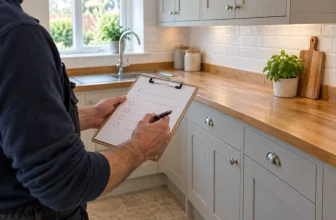


A useful snagging list does more than say that a room needs “finishing”. It identifies one issue at a time, tells someone exactly where to find it, records what was seen and gives you a way to check what happened next. This guide works whether you are walking through a new home, inspecting a renovation or handing over a smaller trade job.
Start with our free snagging list generator if you want to organise defects by room, add photos and print a report. It runs in your browser without an account. Download the editable backup before closing the page if you want to return to the list later.
What belongs on a snagging list?
A snag is an item that needs attention or a closer check: perhaps a cabinet door rubbing on the next unit, a chipped tile, a missing trim, a poorly finished paint edge or an extractor that does not appear to work. Keep observations factual. “Bedroom two window handle is stiff when closing” gives the person doing the work something to test. “Bad window” does not.
Separate a visible finish defect from a concern about performance or safety. If you suspect an electrical, gas, structural, waterproofing or other safety issue, do not diagnose it from a photograph or mark it complete just because a surface looks better. Flag it clearly and arrange a suitable professional assessment. A snagging list is a communication and tracking record, not a substitute for an inspection or certificate.
Walk through the property in a repeatable order
Pick a route and stick to it: entrance, living spaces, kitchen, bathrooms, bedrooms, loft or storage spaces, then outside. Create a separate section for each room or area. That makes it easier for someone to work through the list and for you to return for a second visit. Write down inaccessible areas and the limits of what you checked. If a room was still full of materials, say so rather than leaving a misleading gap.
Within each room, look at finishes, doors, windows, fittings and the parts you can reasonably operate. Avoid rushing the last rooms. A slow, consistent pass usually creates a clearer list than dozens of photos taken without descriptions. The NHBC homeowner guidance offers useful context for people moving into a new home; it does not replace the terms of your own contract or a specialist inspection.
Write one snag per issue
Give each item a short title, an exact position and a plain-language description. A good entry might read:
Kitchen — base unit by sink: The left cabinet door catches the adjacent front when closing. Check alignment and clearance, then demonstrate that both doors open and close freely.
That entry is specific enough to locate and test. If the same problem occurs on three separate doors, record three snags or clearly identify all three positions. Do not hide several unrelated jobs under “kitchen defects”; it becomes hard to assign, price and close them independently.
Take photographs that support the words
Take an overview showing where the item sits, followed by a closer image of the defect if needed. Keep the camera steady and include a familiar reference, such as the adjoining tile or fitting. Caption the image with what it shows. A close-up of a small chip without any room context can be difficult to match to the right location later.
Photos are useful evidence, but they can mislead if the angle or lighting changes. For follow-up work, try to repeat the original viewpoint. Our before-and-after photo maker can put the two images side by side for review. Keep the original photographs as well; a comparison graphic is a convenient presentation, not a replacement for source files.
Before you share a report, check that photographs do not accidentally expose personal documents, people, security details or parts of a customer’s property unrelated to the work. The snagging tool processes photos in the browser and includes them in the PDF or editable JSON only when you export it. Anyone with the exported file can see the included information, so store and send it with care.
Choose priorities and responsibilities carefully
A priority helps people decide what to review first. In the tool, “Routine”, “Attention needed” and “Urgent review” are organisational labels, not legal or technical judgements. Give a time-sensitive concern the attention it deserves, but do not promise a repair deadline unless one has been agreed. Record the responsible person or company when known and leave it blank when it is still being decided.
Add a target date only if it has a real basis. The date makes the report useful for follow-up, but a guessed deadline can create confusion. If the action depends on materials, access or a specialist visit, put that detail in the notes.
Track what happened after the first walk-through
After a contractor starts work, move the item to “In progress”. Mark it “Completed” only after the work has been checked. Add a completion date and a short note describing the action taken, or what still needs attention. The status records what a person entered; it is not independent proof that the defect has been fixed.
Keep a revision or visit reference if you print more than one copy. “Visit 2 — 24 October” and the original job reference make it easier to tell which report is current. The RICS description of snagging surveys emphasises a systematic inspection and a factual list of defects. That is a useful discipline even when you are making your own informal handover list.
How to use the free snagging list generator
- Enter the property or job reference, inspection date and scope. Do not add more personal detail than the report needs.
- Add each room or external area. The removable sample shows how an entry is laid out.
- Add one snag per distinct issue. Give it a title, precise position and an action-focused description.
- Add up to three photos per snag and caption them. Large images are reduced in your browser.
- Set priority, assignee, target date and status where known. Update the action note and completion date after checking the work.
- Download an editable JSON backup before leaving the page. Use Print / Save as PDF for a shareable report, then inspect every page and photograph before sending it.
The optional business panel adds your logo and contact details to the report. It is not required. Saving that business profile is a separate choice and only saves it on the device you are using. Job details and snag photos are not saved automatically.
Common questions
Can I use this for a renovation rather than a new-build home?
Yes. Use rooms or areas that match the project, and describe only the work you are reviewing. State exclusions clearly so the report is not mistaken for an inspection of the whole property.
How many photos should I attach to each snag?
Use enough to locate and explain the issue. Usually one overview and one detail photo are more helpful than several nearly identical close-ups. The tool allows up to three photos per snag.
Can the PDF prove a defect has been repaired?
No. It records the text, dates and status entered by the person preparing the report. Check the work on site and seek specialist assessment for concerns outside a visual snagging review.
Will the list still be there when I return?
No automatic account or project save is used. Download the editable JSON file and import it when you return. Clearing browser data, closing a tab or changing devices can otherwise lose the draft.
Ready to make a clear first list? Open the free snagging list generator, record the first room and save an editable backup before you leave.