How Many Concrete Blocks Do I Need for a Wall? A Practical Block Calculator Guide

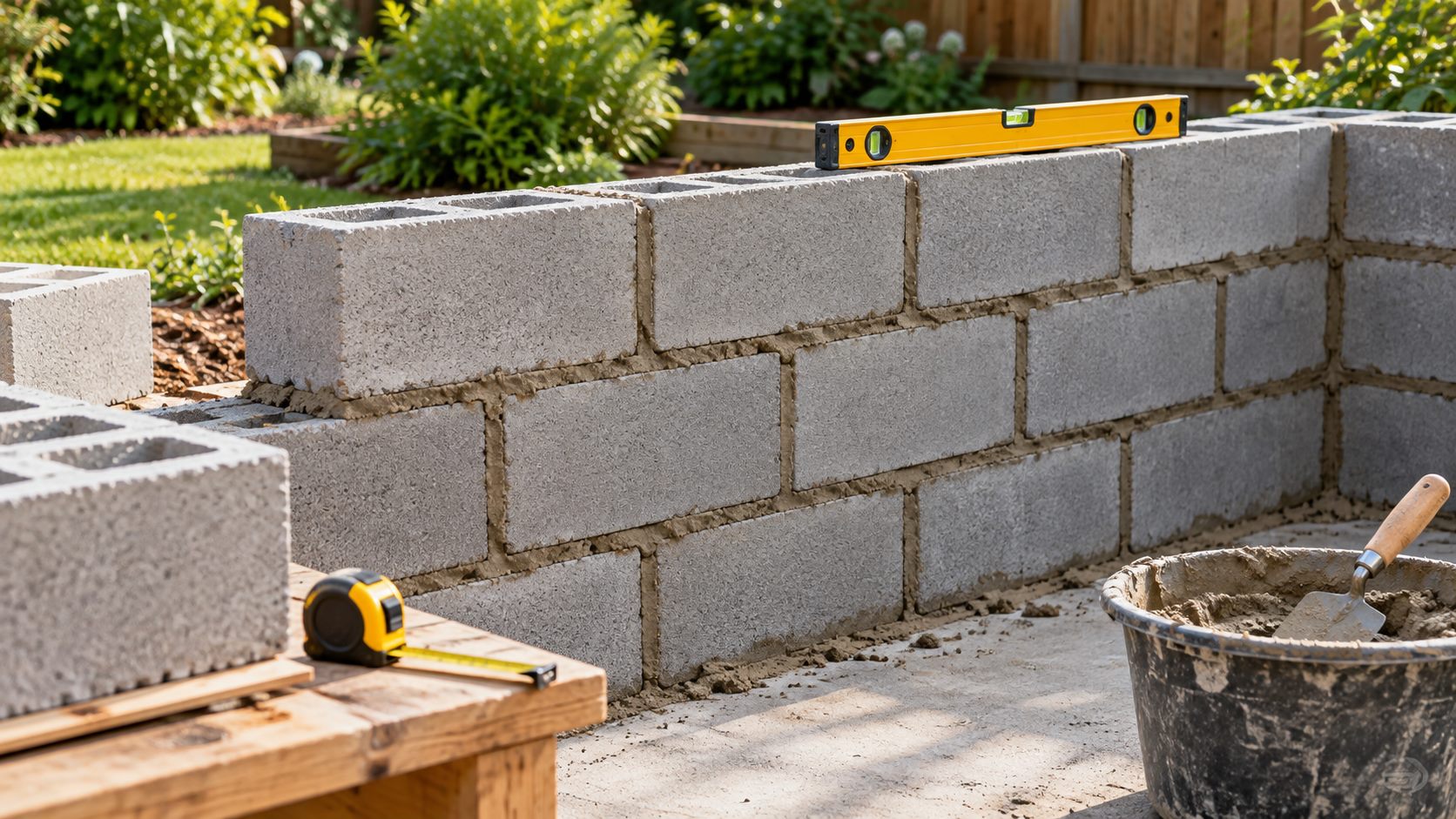
“How many blocks will I need?” sounds like a quick area calculation. In practice, the answer depends on the block’s nominal size, the mortar joint, openings, corners, bond pattern and the amount of cutting you are prepared to do. A useful estimate gets you close enough to request a sensible supplier quote while keeping the assumptions visible.
What the block calculator can and cannot tell you
The calculator is a quantity estimator. It helps with standard rectangular walls, selected block dimensions, openings and waste. It does not design a retaining wall, choose reinforcement, confirm a foundation, check a fire or acoustic rating, or approve a load-bearing detail. Those decisions belong to the project design and the applicable local requirements.
Concrete masonry guidance from the Concrete Masonry & Hardscape Association makes the same distinction: unit estimating is one part of a masonry project, while grouting, reinforcement, joints and other details can make the work much more involved.
Start with the finished wall dimensions
Measure each wall separately. Record length and height in the same units, and note whether the dimensions are finished face dimensions or include a return, pier or corner. Split an L-shaped or stepped wall into simple rectangles rather than pretending it is one rectangle.
List every opening that genuinely removes block face area: doors, windows, service openings and large recesses. Small chases or narrow penetrations may still require cut blocks and should not automatically be treated as a simple area deduction. For a corner, keep the two wall runs clear and let the block layout decide how the corner units are handled.
Nominal size is not always the physical size
Suppliers often describe a unit by its nominal module. A common US example is an 8 × 8 × 16 inch block. The manufactured unit is smaller so the mortar joint completes the nominal grid. The QUIKRETE block-wall guide illustrates this relationship with a typical 3/8-inch joint.
Metric products use their own nominal and actual dimensions. Do not mix a block’s advertised face size with a different joint assumption. Enter the block face/module offered by the calculator, then compare the result with the product data sheet or supplier quotation before ordering.
A checked worked example
Imagine a straight wall 20 ft long and 8 ft high, with one 3 ft × 6 ft 8 in door. The gross face is 160 sq ft. The door removes about 20 sq ft, leaving roughly 140 sq ft of block face.
For a nominal 8 × 16 in face module, one block covers about 0.889 sq ft of modular face. The first-pass quantity is therefore 140 ÷ 0.889 = about 158 blocks. That is a planning quantity before corners, cuts and waste. Adding 5% gives about 166 blocks; adding 10% gives about 174. The appropriate allowance depends on the number of corners, openings, block type and how much reusable offcut you expect.
Enter the wall and opening measurements in the calculator rather than copying this rounded example. Check that the selected unit face dimensions and units match the product you intend to buy. If the result differs, the usual causes are a different block module, a different opening measurement or a different waste setting.
Openings reduce area, but they do not remove every cut
A neat rectangular opening can remove a large area while still creating jamb, sill and lintel pieces. A block estimate that subtracts an opening but ignores the surrounding layout can be short on special units or cut pieces. Mark the opening position on the elevation and identify whether the design uses full-length, half, corner or lintel units.
For small garden walls, the supplier may recommend a practical cutting pattern. For a structural or reinforced wall, follow the project drawings and the block manufacturer’s system. Do not turn the calculator’s number into a structural take-off by adding a guessed reinforcement allowance.
Waste: choose it deliberately
Waste is not a magic correction for every uncertainty. A low allowance may suit a long, straight, non-structural run with few openings and an experienced crew. A higher allowance may be sensible when there are many corners, awkward returns, several openings, colour-matched units or uncertain measurements.
Keep the reason beside the number. “5% for a straight garden wall” is more useful than “10% because that is what we always use.” If the supplier sells by pallet or bundle, round to that buying unit after the calculation and record the difference.
Mortar is a separate estimate
Block quantity and mortar quantity respond to different assumptions. Joint width, bed coverage, block profile, site mixing and bag yield all matter. Use the calculator’s mortar section as a planning estimate, then check the selected mortar product’s coverage and mixing instructions. Do not infer mortar strength or a mix design from a quantity result.
Likewise, grout fill, reinforcement, ties, damp proofing, movement joints and coping units should appear as separate lines. Separating them makes a quote easier to review and prevents a block count from quietly becoming a complete wall specification.
How to use the Handyman Hub calculator
- Choose the unit system before entering measurements.
- Select the block face/module that matches the product you are considering.
- Enter each wall’s length and height, or use the wall area mode if you have already measured the net face.
- Add doors and windows as deductions with their actual widths and heights.
- Set a waste allowance and write down why you chose it.
- Review block count, rounded purchase count and mortar estimate separately.
- Print or save the result with the block type, dimensions, date and supplier assumptions.
For a broader project price, carry the checked block and mortar lines into the Job Price Calculator. If the wall is part of a patio, shed or garden project, keep its masonry quantities separate from the Concrete Calculator and Gravel/Aggregate Calculator.
Common mistakes that make a block order wrong
- Using gross wall area and forgetting doors or windows.
- Using actual block dimensions where the calculator expects the nominal module, or vice versa.
- Assuming every offcut is reusable at a corner or opening.
- Adding waste twice: once in the calculator and again as a full extra pallet.
- Including mortar, reinforcement or lintels in a block-only count.
- Using a quantity estimate as evidence that a wall is structurally suitable.
Frequently asked questions
How many blocks are in a square metre?
It depends on the block face module and joint. Use the module, not the bare physical face, because the joint affects the repeating layout.
Should I subtract windows and doors?
Yes, subtract their measured face area, then review the cuts and special pieces around each opening.
Is 5% waste enough?
Sometimes. Straight runs with few cuts need less allowance than walls with corners, returns and several openings. State the reason and round to the supplier’s pack size.
Does the calculator design a retaining wall?
No. Retaining walls need a design that considers soil, drainage, loads, foundations and reinforcement.
Can I use this for bricks?
Use the brick/block mode that matches the unit and joint assumptions. Bricks and blocks have different face modules and may require separate mortar assumptions.
What should I send to a supplier?
Send the wall measurements, opening schedule, block type and dimensions, quantity before and after allowance, mortar product and any special units separately.
Further reading
The CMHA modular-layout guidance explains why overall dimensions, openings and unit modules need to be considered together. Treat it as technical background, not a substitute for the specification of your wall.