How Many Paving Slabs Do I Need? A Practical Patio Calculator Guide

Patio slab quantities are easy to underestimate because the visible area is only part of the order. Slab size, joint gaps, cutting around edges, steps, borders and waste all affect the final count. This guide explains how to measure a patio in sections and use the Handyman Hub patio calculator to create a realistic slab and materials list.
What changes the number of paving slabs
The main variables are patio area, slab length and width, the joint gap, laying pattern and how many slabs are lost at cuts. A 600 × 600 mm slab does not cover exactly 0.36 m² once joints and edge cuts are considered. The supplier’s actual size and laying guidance should control the calculation.
Natural stone, porcelain, concrete flags and reclaimed slabs can have different sizes, thicknesses, batch variation and installation requirements. Do not mix nominal dimensions from one product with the joint guidance for another.
Measure the patio as simple shapes
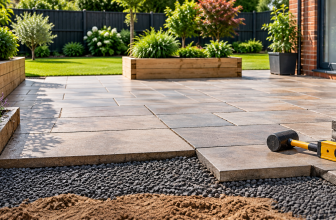
Measure a rectangle as length by width. For an L-shaped patio, split it into two or more rectangles and add the areas. Note steps, paths, seating circles and borders separately because they may use a different laying direction or cut plan.
Measure the finished paving footprint rather than the excavation. If the patio will have a curved edge, calculate the main area and allow extra material for the edge cuts. Keep a sketch with the direction of the slabs and the position of the most visible cuts.
Worked example: a 4.8 m by 3.6 m patio
A rectangular patio 4.8 m long by 3.6 m wide has an area of 17.28 m². With 600 × 600 mm slabs, the nominal slab area is 0.36 m², so a simple area division gives 48 slabs. That is only a starting point: joints, perimeter cuts and breakages mean the final order should include an appropriate allowance and should be checked against the laying pattern.
If the product is sold in calibrated packs, round up to whole packs after calculating the slab count. For a random natural-stone pattern, use the pack coverage and laying guide rather than trying to force every piece into a square-grid calculation.
Use the patio calculator step by step
- Open the patio calculator.
- Select metres, feet or the units used by your supplier.
- Enter each patio section separately.
- Enter the actual slab size and joint allowance.
- Choose the waste or cutting allowance.
- Review slabs, packs and total coverage.
- Save the result with the product, batch and laying assumptions.
Use the sand and cement calculator separately for a mortar bed or jointing mix, and use the aggregate calculator for sub-base materials. A slab count is only one part of a patio order.
Joint gaps and effective coverage
Joint gaps affect the grid spacing. If a slab is 600 mm wide and the specified gap is 5 mm, the planning module is about 605 mm, subject to the product and laying method. Use the manufacturer’s joint recommendation, particularly for porcelain and natural stone.
For random patterns, use the coverage printed on the pack. Pack coverage already reflects the manufacturer’s pattern; multiplying one nominal slab size can give a misleading result.
Borders, steps and edge cuts
A contrasting border can add a separate slab size and more cutting. Count border pieces as their own line and check whether the centre field still uses full slabs. Steps need treads, risers, nosings and side pieces, all measured separately.
Plan the most visible cuts away from door thresholds and main sight lines where practical. Keep spare pieces from cuts where they can be reused, but do not rely on every offcut fitting elsewhere.
Waste, breakages and batch checks
Waste depends on the patio shape, laying pattern, material and installer’s cutting plan. A simple grid may need a modest allowance; diagonal, curved or random layouts usually need more. Natural stone and porcelain also need a realistic breakage allowance because a cracked piece may not be usable.
Buy the main paving from one batch where possible and check shade, calibre and thickness before laying. Keep a few spare slabs for future repairs if storage allows.
Common paving quantity mistakes
Dividing by nominal slab area only
Include joints, cuts, pattern coverage and waste.
Mixing slab and pack calculations
Use pack coverage for products sold as random or calibrated sets.
Forgetting borders and steps
Measure them as separate components with their own cuts.
Ordering by excavation area
The paved footprint and the sub-base footprint are different calculations.
Ignoring batch and spare requirements
Matching replacements later can be difficult, especially for natural materials.
Patio order checklist
- Sketch every paved section, border, step and path.
- Confirm actual slab dimensions and joint guidance.
- Use pack coverage for random or calibrated paving.
- Count borders, treads, risers and trims separately.
- Add a reasoned cutting and breakage allowance.
- Order compatible bedding, jointing and sub-base materials.
- Check batch, shade, calibre, thickness and delivery access.
The Pavingexpert reference library is useful for understanding patio build-ups and paving details. Follow the installation instructions for the paving product you select.
Frequently asked questions
How many 600 × 600 slabs do I need for 10 m²?
The nominal calculation is 10 ÷ 0.36, rounded up, but joints, perimeter cuts, pattern and waste can change the order. Check the pack coverage and laying plan.
Should I add 10% for paving waste?
That may suit a straightforward grid, but curves, diagonals, borders and random patterns can need more. Base the allowance on the cutting plan.
Do paving packs include waste?
Pack coverage describes the supplied pattern, but it may not cover your cuts or breakages. Confirm the supplier’s terms.
How do I calculate a patio with different slab sizes?
Calculate each field or border as its own component and use the coverage or pack layout for each product.
Do I need extra slabs for future repairs?
Keeping a few spare pieces is sensible, especially for natural stone, porcelain or discontinued ranges.
Does the patio calculator include sub-base?
Use the calculator output for slabs, then calculate sub-base, bedding and jointing materials separately.
Final slab-count check
Before ordering, compare the saved calculator result with your patio sketch, slab or pack coverage, joint gaps, laying pattern, borders, steps, waste allowance and batch details. That check prevents the common problem of having enough area on paper but not enough usable pieces for the finished patio.